Business ERP · Live
Biznex
Complete business management — sales, inventory, purchases, customers, suppliers, and accounting, in one offline-first desktop app.
Complete business management — sales, inventory, purchases, customers, suppliers, and accounting, in one offline-first desktop app.
Real screens from the app, not mockups — including the one thing every POS needs: a fast counter mode.
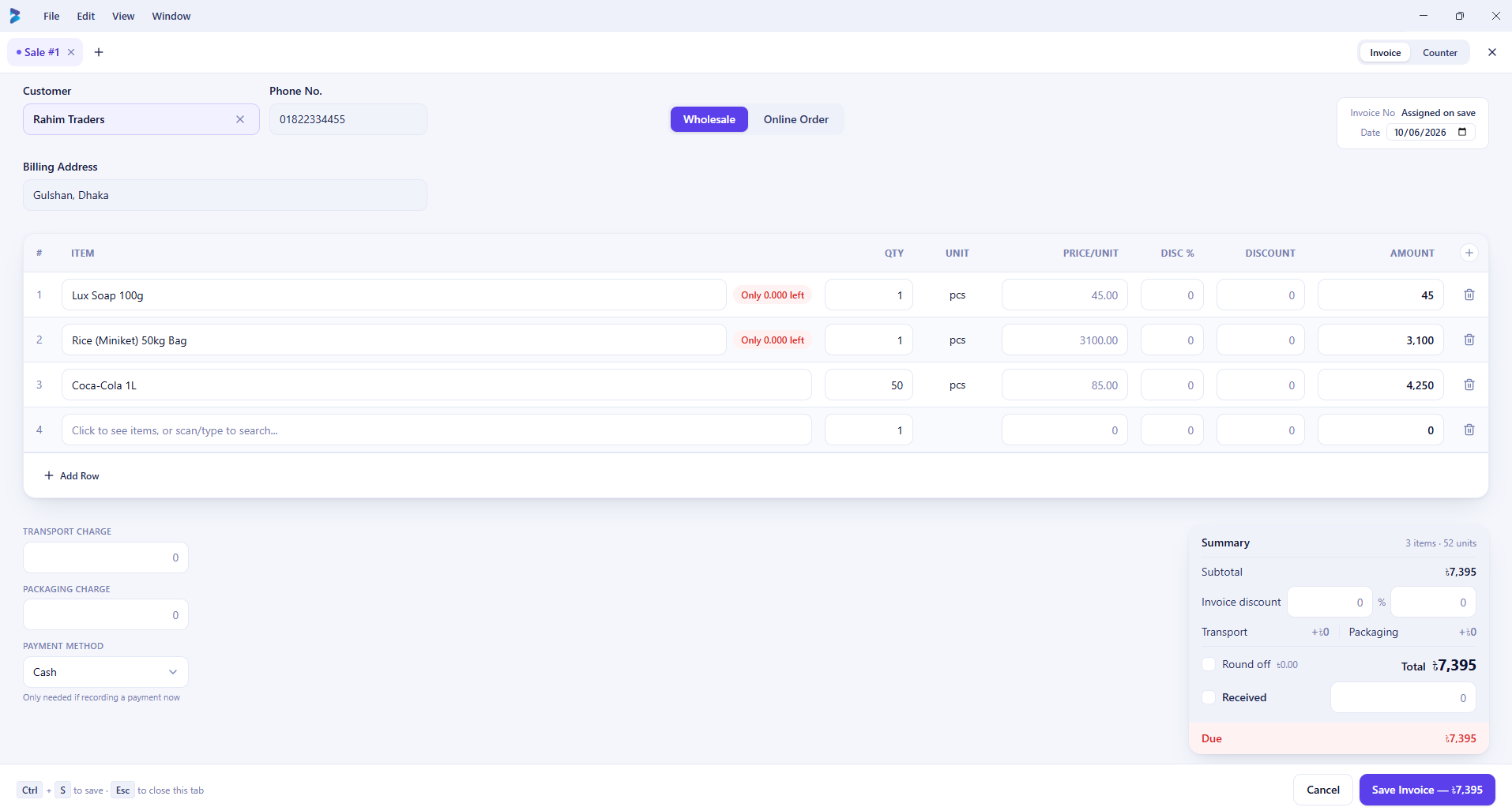
Type-ahead item search, per-line discounts, and a running total — built for a keyboard, not a touchscreen checkout.
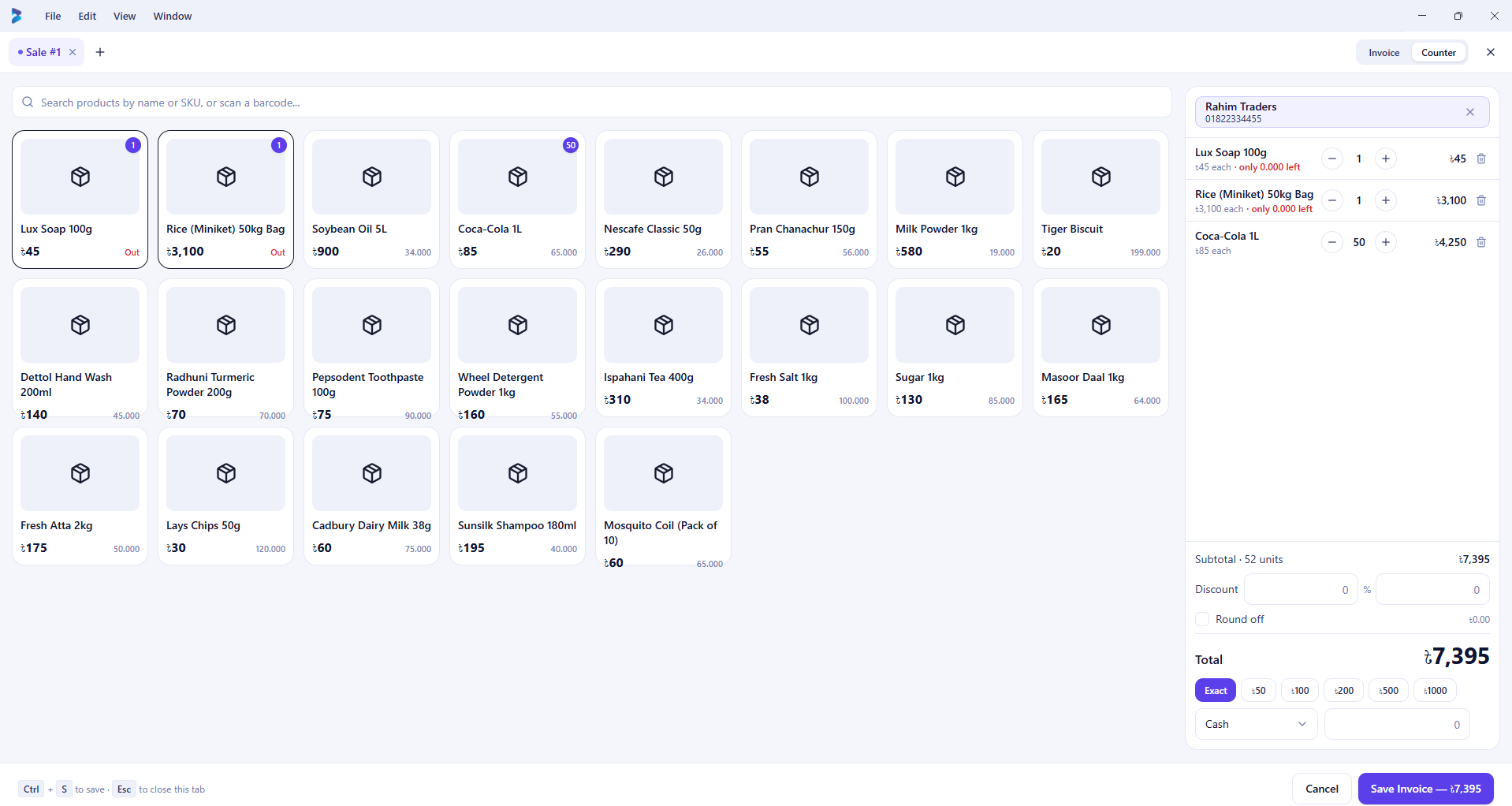
The same sale, one click away — a visual product grid for fast walk-in billing at a till.
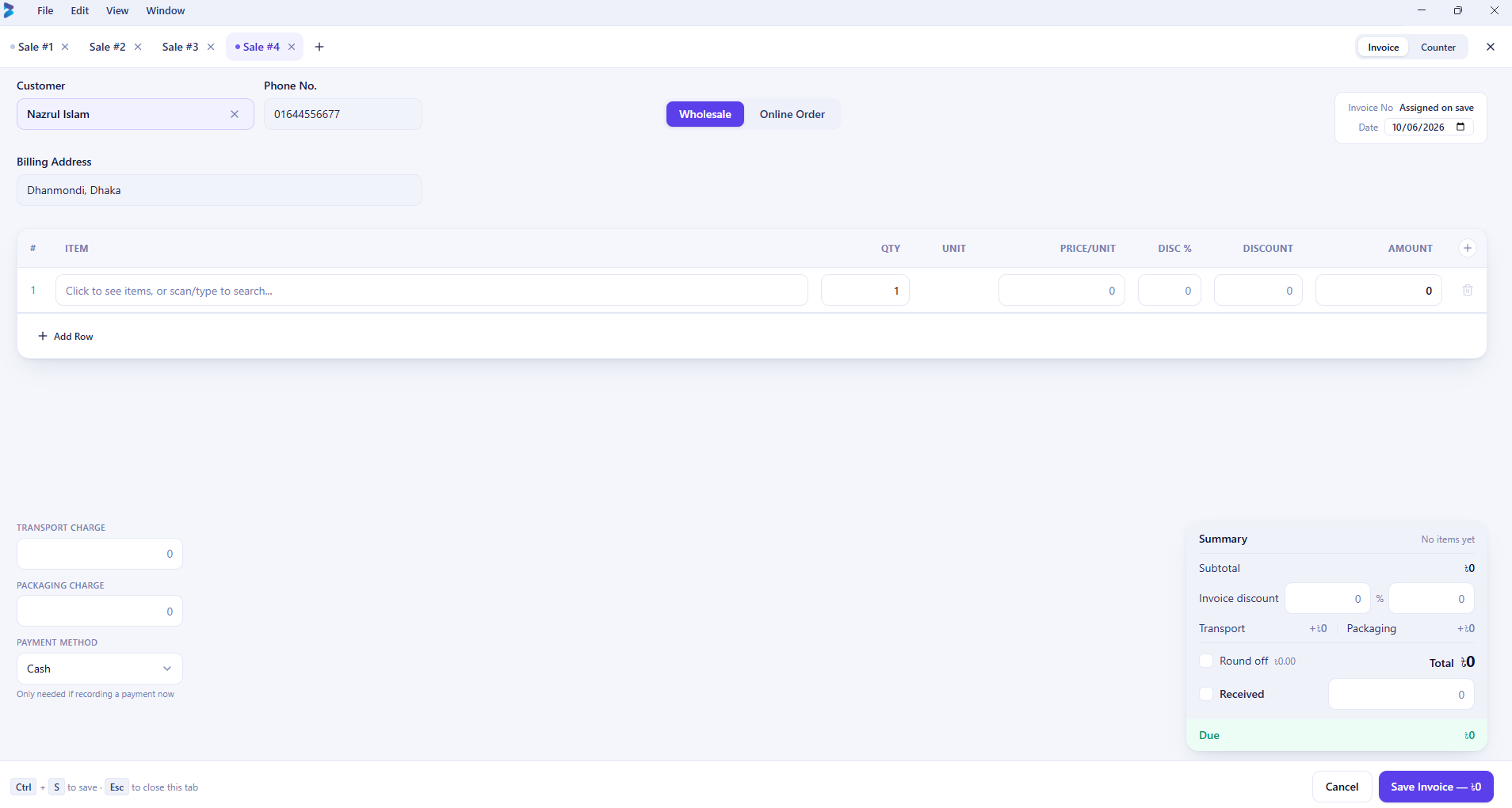
Open several sale tabs at once — ring up one customer while another waits, nothing lost.
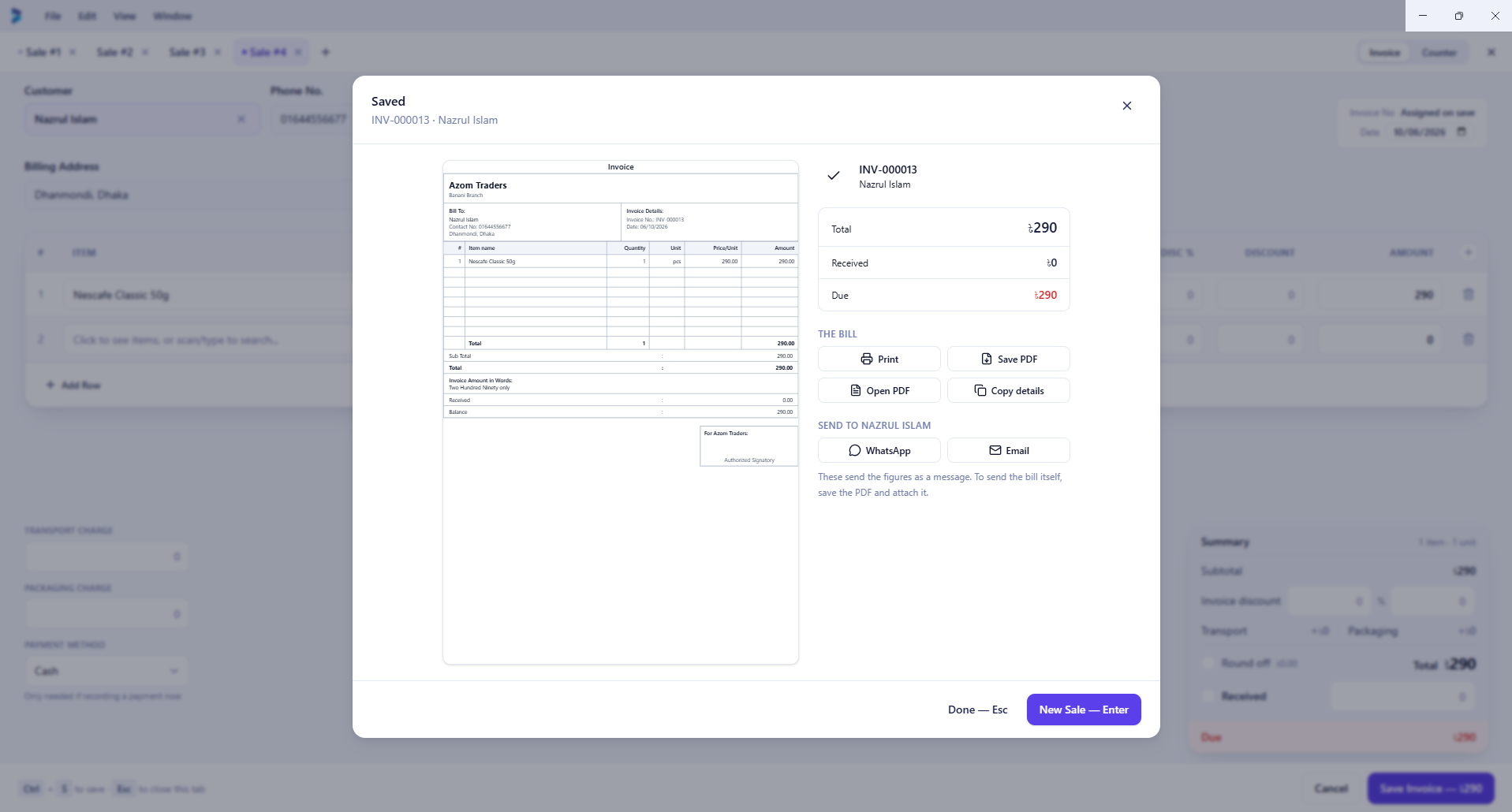
Every saved invoice can be printed, exported, or sent straight to WhatsApp or email.
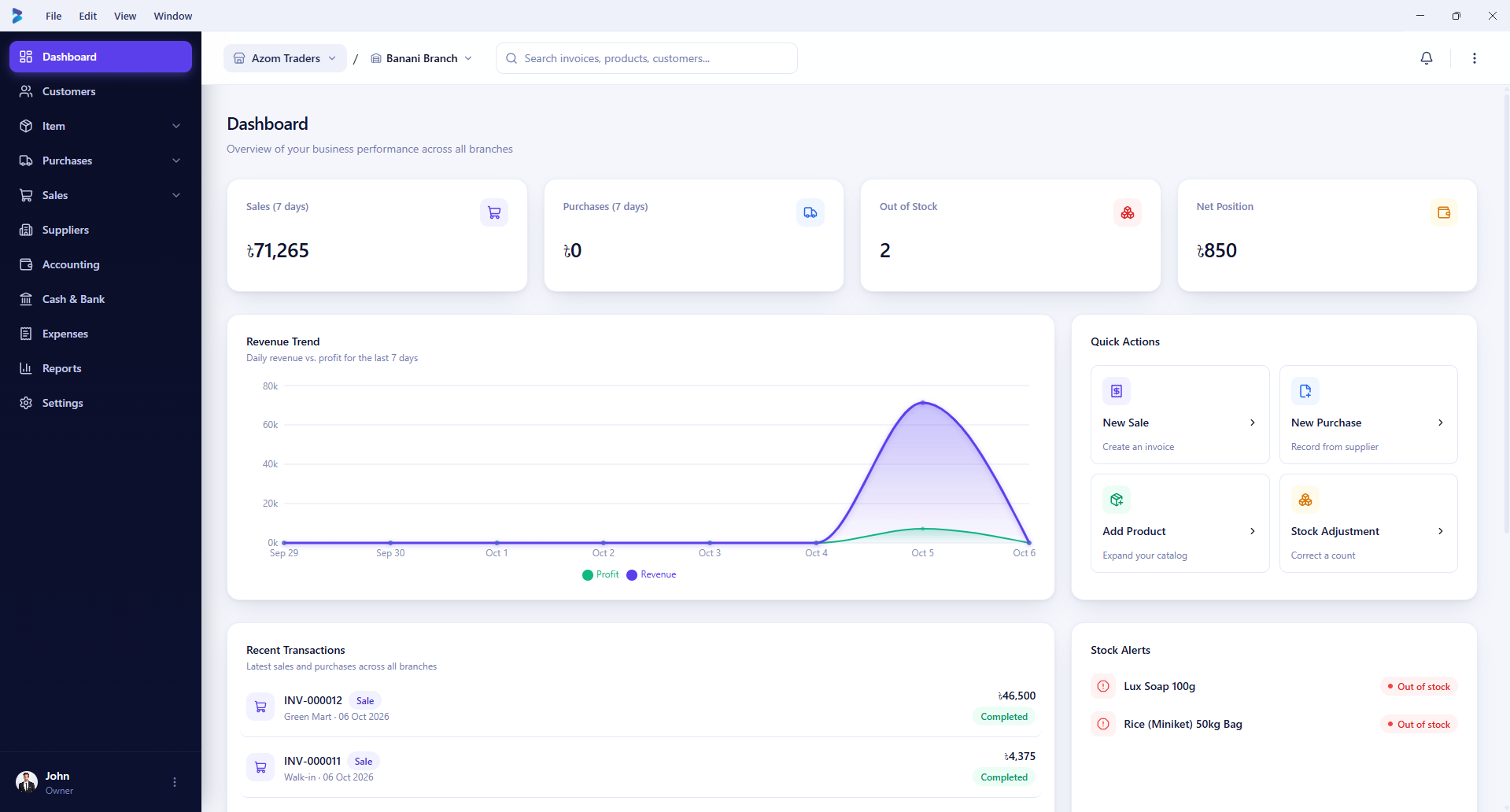
Sales, purchases, net position, and stock alerts for the branch, at a glance.
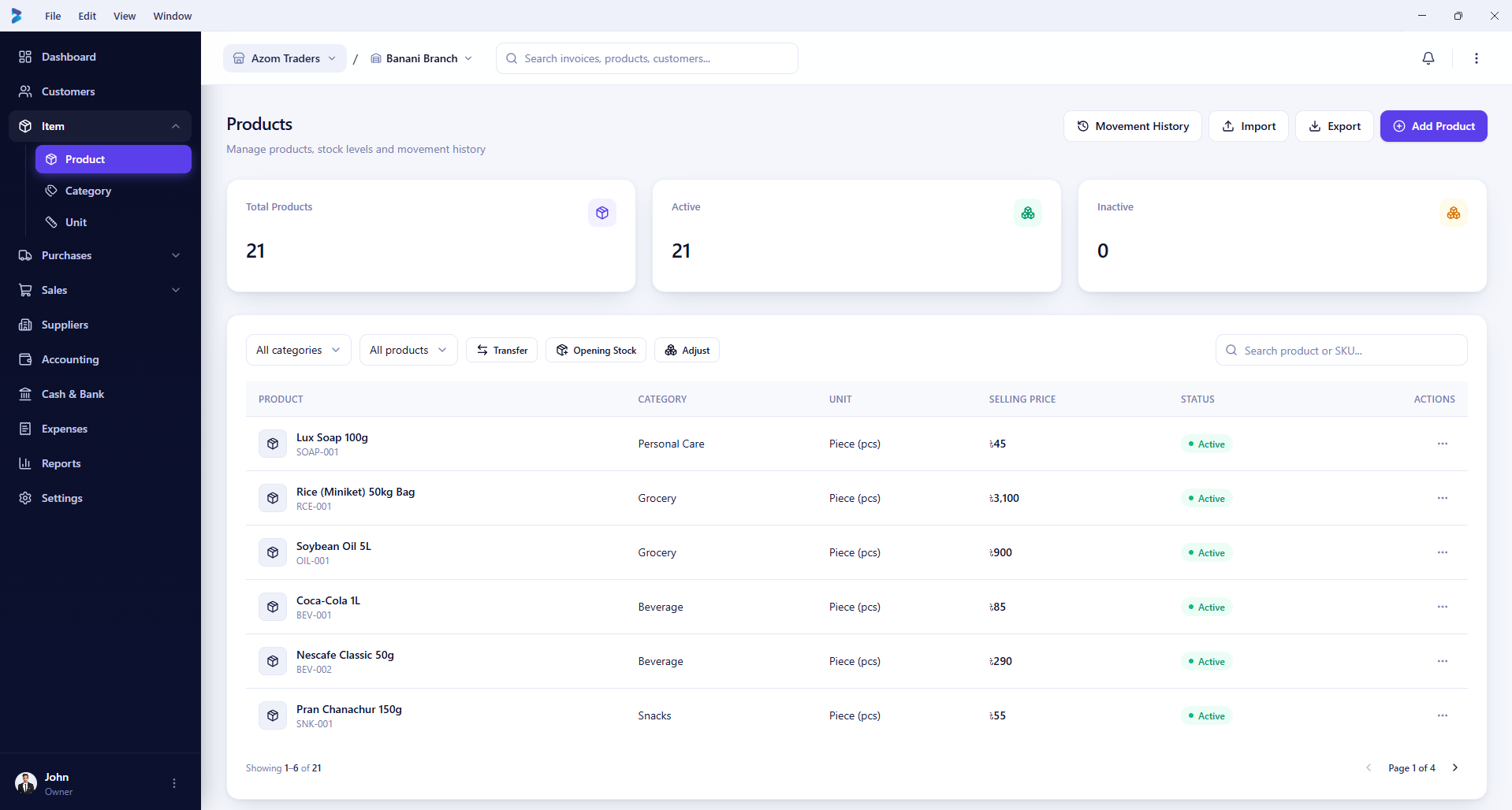
Every product, category, unit, and live stock status in one list.
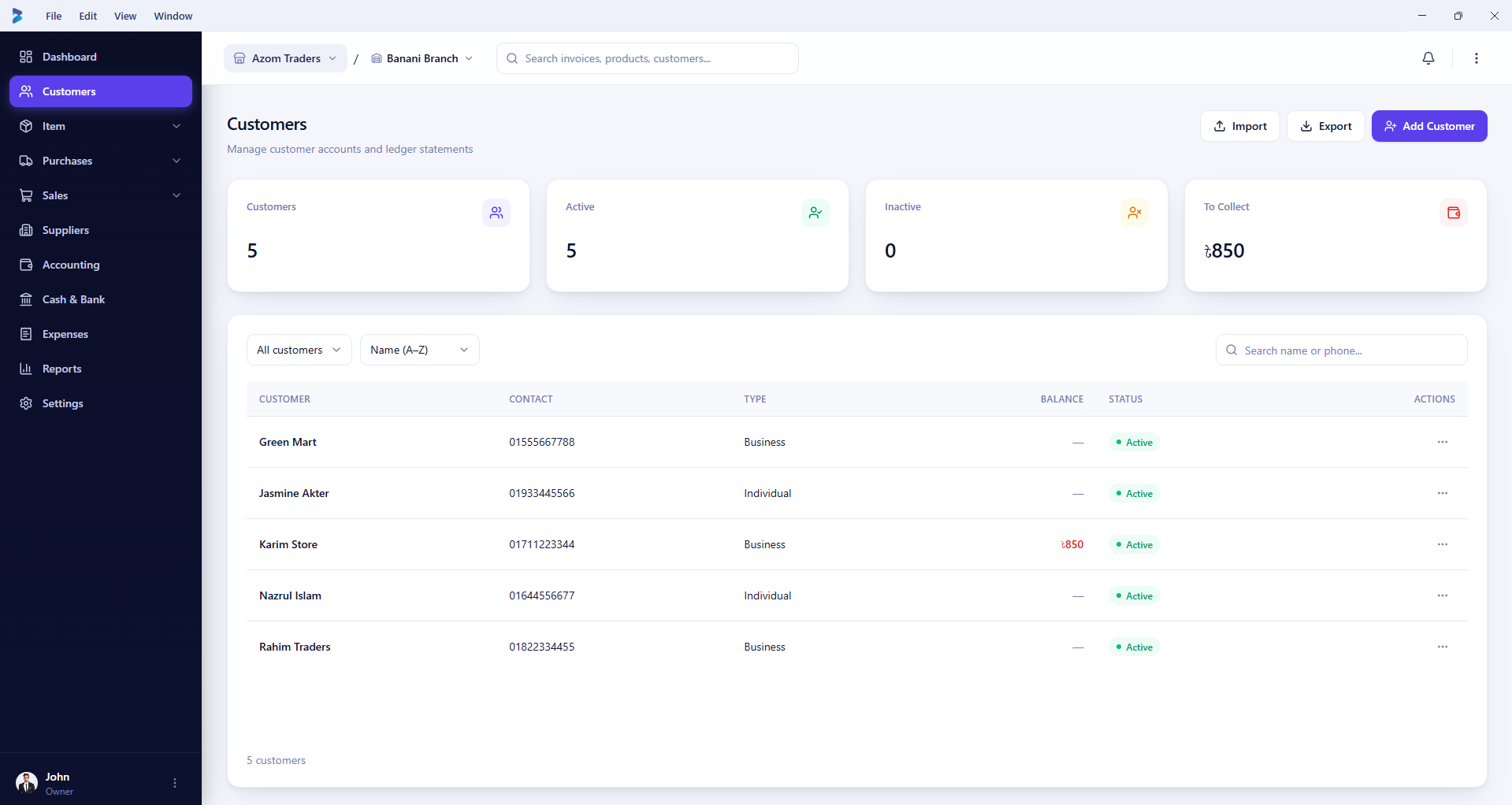
Running balances per customer, tied automatically to every sale and payment.
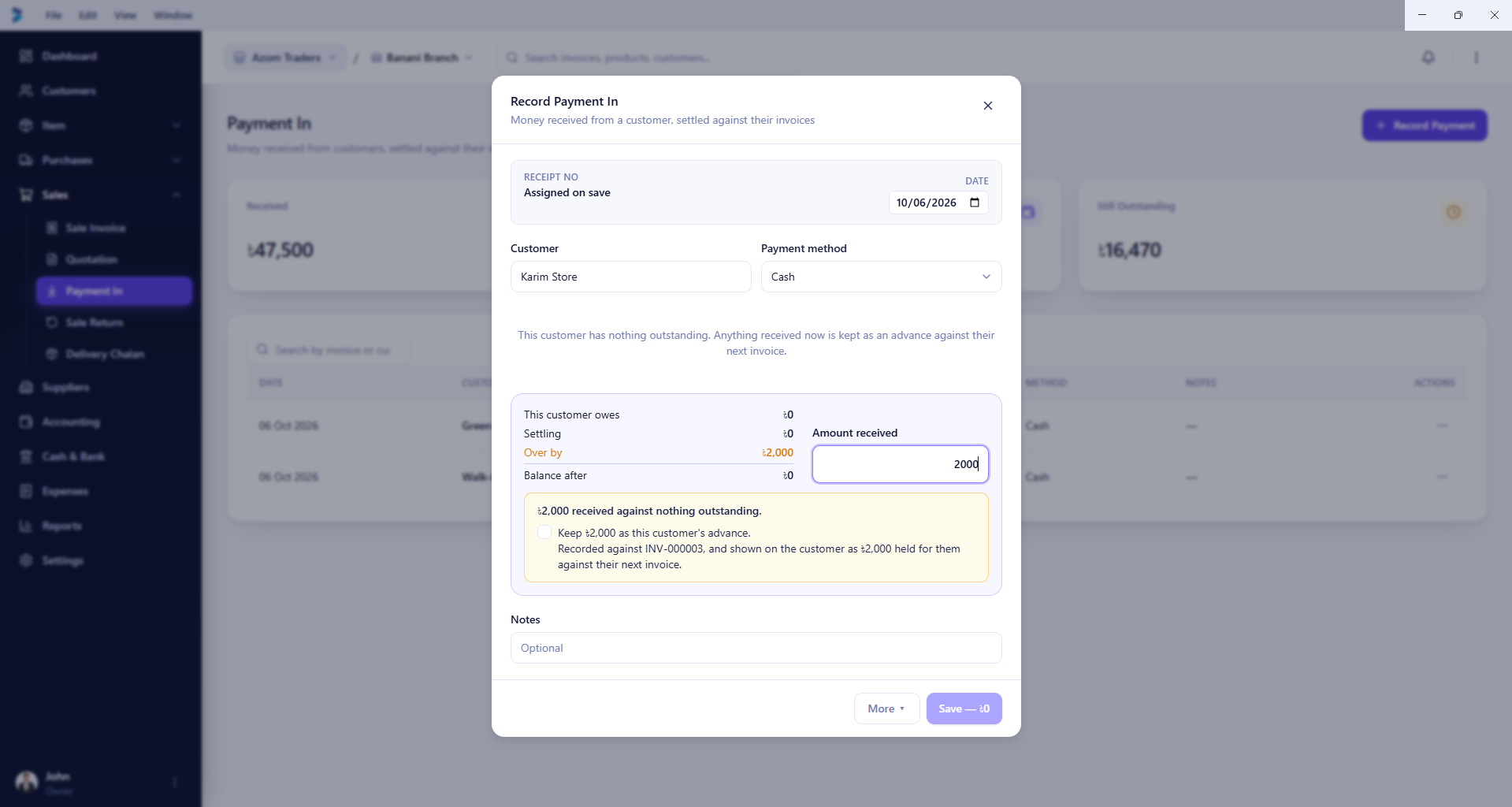
Even an overpayment is handled explicitly — held as the customer's advance, never silently lost.
Most small-business software picks one of two failure modes: it's either a thin cloud dashboard that stops working the moment the connection does, or a local-only tool that can't keep two branches in sync with each other.
Biznex writes everything locally first — the register never waits on a network round-trip. The cloud is where devices reconcile with each other quietly in the background, not where every click goes to be approved.
Every screen reads from the local database — no spinners.
No internet, no problem — sales keep running.
One account, every branch, reconciled automatically.
Multi-tenant from day one, permission-checked everywhere.
Nothing here is a mockup — every module below is built and working in the current app.
Fast billing with barcode support, multiple payment methods, holds, and instant invoice printing.
Real-time stock across every branch, low-stock alerts, and stock transfers between locations.
Supplier bills, purchase returns, partial payments, and due tracking in one place.
A real ledger underneath — receivables, payables, and profit & loss that stay reconciled.
Running balances, statements, and credit limits, tied to every sale and payment automatically.
Seventeen reports across five categories — the same numbers on screen, in Excel, and on paper.
The same local-first shape underneath whatever's on screen.
Every sale, every stock change writes straight to a local database first. The screen updates instantly — no spinner, no waiting on a connection.
Once there's a connection, changes queue up and push to the cloud on their own schedule. A bad signal slows nothing you're doing right now.
The cloud reconciles every device under one firm. Open a new branch, add a device, and it catches up automatically.
One price per device, billed yearly. No hidden fees, no surprise upgrades.
For a single shop just getting started
For growing shops with more than one branch
For larger operations with many branches
All plans include a free trial. No credit card required to download and try Biznex.
Nothing exotic — just the things that are easy to skip and expensive to fix later.
Your data lives on your machine first and syncs when it can.
Your business's data stays isolated, with permission checks on every action.
Every plan has a bounded device count — lost devices can be revoked instantly.
Security-sensitive actions are logged — who did what, and when.
Free to download and use. One installer, everything included — nothing else to fetch.
Biznex is in active development. The installer includes everything needed — once downloaded, installing it doesn't need an internet connection.
If something's missing here, the contact page reaches us directly.
Yes — by design, not as a fallback mode. Every sale, purchase, and stock change writes to a local database first. A connection is only needed for installing and for syncing between branches and devices.
Yes. Download and use Biznex free while you evaluate it — no card required.
Yes. The platform is multi-tenant from the ground up — every record is scoped to your firm, with permission checks enforced on both the device and the server.
Yes. One ZOVA account can hold multiple firms, and one firm can hold multiple branches, each with their own staff, stock, and permissions.
Yes. Biznex checks for updates and installs them automatically — you'll always be on the latest version without doing anything.
Free to download. Free to use. No card required.